 TM
TMTime Series in Python
Time Series models are used for forecasting values by analyzing the historical data listed in time order. This topic has been discussed in detail in the theory blog of Time Series. To demonstrate time series model in Python we will be using a dataset of passenger movement of an airline which is an inbuilt dataset found in R.
Preparation
Importing Preliminary Libraries
import pandas as pd
import numpy as np
import matplotlib.pylab as plt
%matplotlib inline
from matplotlib.pylab import rcParams
rcParams['figure.figsize'] = 15, 6
from datetime import datetime
Defining Format
For the date variable in our dataset, we define the format of the date so that the program is able to identify the Month variable of our dataset as a 'date'.
dateparse = lambda dates: datetime.strptime(dates, '%Y-%m')
Importing Dataset
We will import the above-mentioned dataset using pd.read_excel command.
time = pd.read_excel("C:/Users/user/Desktop/Data Sets/Time_Series/AirPassengersData.xls",parse_dates=['Month'],
index_col='Month',date_parser=dateparse)
time.head() 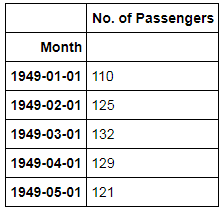
Indexing Data
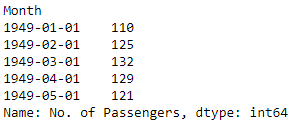
Instead of us using the name of the variable every time, we extract the feature of No. of Passengers.
time1 = time['No. of Passengers']
time1.head()
Graphical Representation
We will use the above-indexed dataset to plot graph.
time1.plot(kind="line",figsize=(10,5))
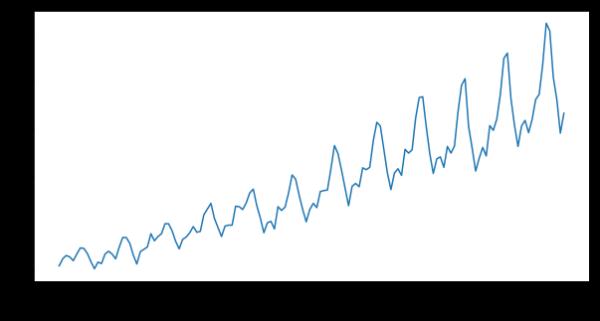
Clearly, there is a trend and seasonality graph. We will now look at different techniques for predicting the number of passengers for the next 10 years (By default Python, predicts values for ten years).
Averaging Techniques
There are mainly three types of averaging techniques - Simple Average, Moving Average and Weighted Average. These methods have been discussed in detail in the theory blog of Averaging Techniques. We will be demonstrating the Moving Average Technique and Weighted Average technique using Python.
Moving Average Technique
We can compute moving average using pd.rolling_mean function in Python. This will compute average using the data for the previous one year and plot the graph for the same.
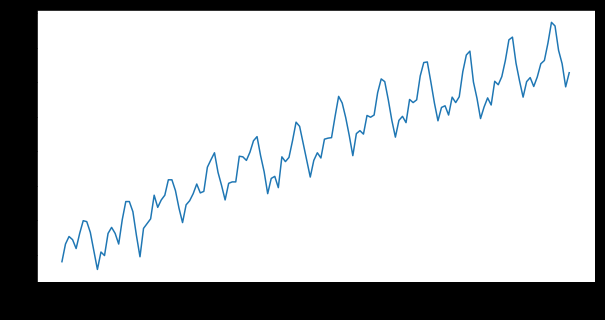
To compute the forecasted values we eliminate the trend using log transformation.
time_log = np.log(time1)
time_log.plot(kind="line",figsize=(10,5))
Adding a Trendline.
moving_avg = time_log.rolling(12).mean()
time_log.plot(kind="line",figsize=(10,5))
moving_avg.plot(kind="line",figsize=(10,5),color='orange')
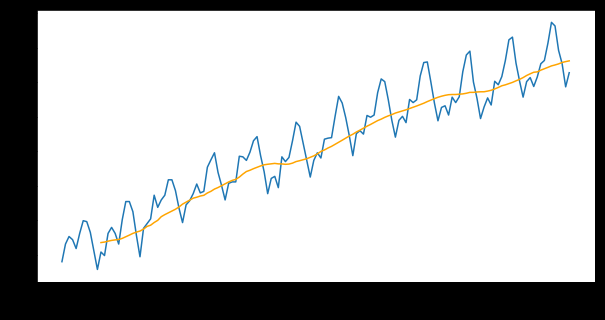
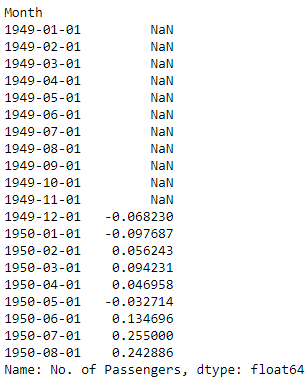
We can also compute the difference between the moving average and the log-transformed values.
time_log_moving_avg_diff = time_log - moving_avg
time_log_moving_avg_diff.head(20)
Weighted Average Technique
Here the weights of the values are considered while computing the average value. The following code is used in Python to calculate weighted average mean and plot the graph for the same.
exp_wighted_avg = time_log.ewm(halflife=12).mean()
time_log.plot(kind="line",figsize=(10,5))
exp_wighted_avg.plot(kind="line",figsize=(10,5),color='orange')
We can also use the metrics command to calculate the error in our prediction.
time_log_ewma_diff = time_log - exp_wighted_avg
from sklearn import metrics
metrics.mean_squared_error(time_log,time_log_ewma_diff)
time_log and the difference series time_log_ewma_diff (i.e. time_log − exp_wighted_avg), so the value is not a true forecast error against the smoothed series. It is shown here as in the original; for a genuine error, compare time_log with exp_wighted_avg after dropping the leading NaNs.Smoothing Techniques
Various Smoothing Techniques have been discussed in the theory section. Here we will be using the techniques in Python to forecast values.
Seasonal Trend Decomposition
We will use seasonal_decompose package from statsmodels.tsa.seasonal for decomposition. This will deconstruct the time series into three components namely trend, seasonality and remainder. After getting the above-mentioned components we will plot the graph for them.
from statsmodels.tsa.seasonal import seasonal_decompose
decomposition = seasonal_decompose(time_log)
trend = decomposition.trend
seasonal = decomposition.seasonal
residual = decomposition.resid
plt.subplot(411)
time_log.plot(kind="line",figsize=(10,6),label='Original')
plt.subplot(412)
trend.plot(kind="line",figsize=(10,6),label='trend')
plt.legend(loc='best')
plt.subplot(413)
seasonal.plot(kind="line",figsize=(10,6),label='Seasonality')
plt.legend(loc='best')
plt.subplot(414)
residual.plot(kind="line",figsize=(10,6),label='Residuals')
plt.legend(loc='best')
plt.tight_layout()
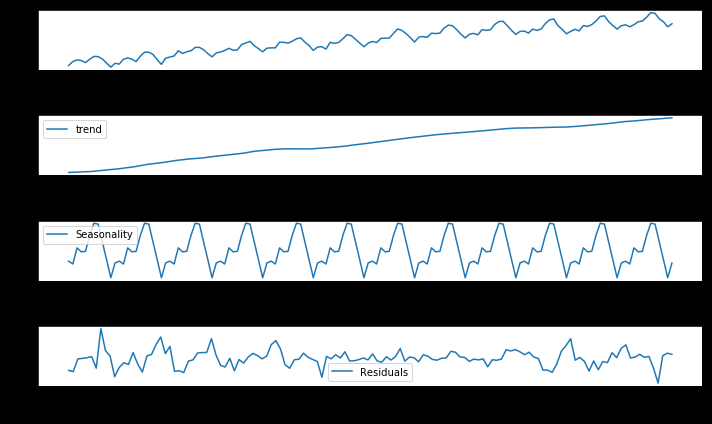
From the above graph, we can find the number of 'seasonal periods' and use that value for Exponential Smoothing.
Exponential Smoothing Method
There are mainly two types of Exponential Smoothing Methods - Simple Exponential and Exponential Smoothing aka Holt Winter Method. These have been discussed in detail in the theory blog of Smoothing Techniques. Both these techniques will now be demonstrated in Python.
Simple Exponential Smoothing Method
This method is used for forecasting when there is no trend or seasonal pattern.
Importing Libraries
We will import Exponential and Simple Exponential Smoothing library from statsmodels.tsa.api package.
from statsmodels.tsa.api import ExponentialSmoothing, SimpleExpSmoothing, Holt
Conducting Simple Exponential Method
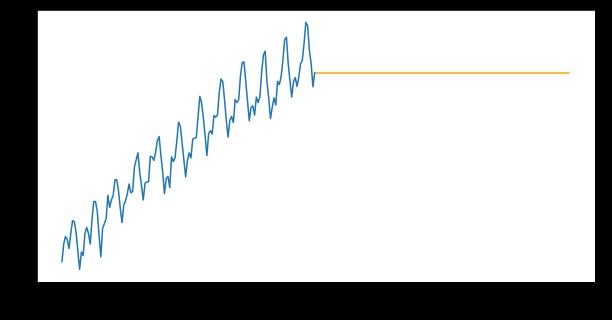
We will now run the code for Simple Exponential Smoothing (SES) and forecast the values using forecast attribute of SES model.
ses = SimpleExpSmoothing(time_log).fit(smoothing_level=0.6,optimized=False)
ses1 = ses.forecast(len(time_log))
Plotting Graph
We now plot a graph from the above output.
time_log.plot(kind="line",figsize=(10,5))
ses1.plot(kind="line",figsize=(10,5),color='orange')
Exponential Smoothing Technique (EST) aka Holt-Winters Method
The Exponential smoothing technique assigns less weight (importance) as the observations get older and have been discussed in the theory section.
Running the Code for EST
We first run an ETS model using ExponentialSmoothing.
ets_stl = ExponentialSmoothing((time_log) ,seasonal_periods=12 ,trend='add',
seasonal='add').fit()
ets_stl1 = ets_stl.forecast(len(time_log))
Plotting Graph
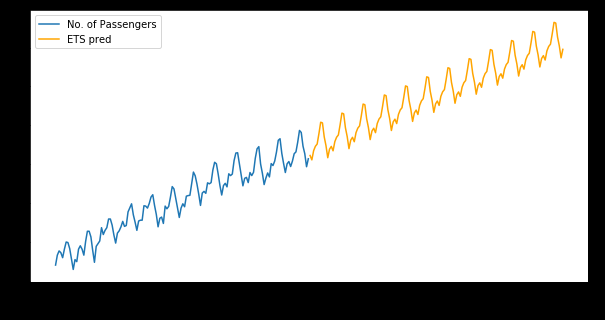
We then plot a graph from the above output.
time_log.plot(kind="line",figsize=(10,5),legend=True)
ets_stl1.plot(kind="line",figsize=(10,5),color='orange',legend=True,label='ETS pred')
ARIMA Models
ARIMA Models have been explored in the theory section. Here an automated way of forecasting is performed by using ARIMA models.
We will import ARIMA from statsmodels.tsa.arima_model library.
from statsmodels.tsa.arima.model import ARIMA
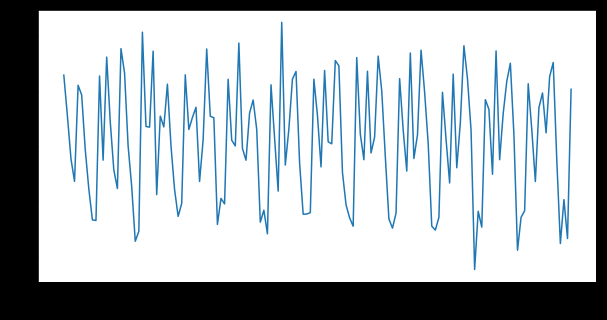
time_log_diff = time_log - time_log.shift()
time_log_diff.plot(kind="line",figsize=(10,5))
model_ARIMA = ARIMA(time_log, order=(2,1,2))
results_AR = model_ARIMA.fit()
time_log_diff.plot(kind="line",figsize=(10,5),title=('MSE: %.4f'%
metrics.mean_squared_error(time_log_diff,results_AR.fittedvalues)),
label='time_log_diff',legend=True)
results_AR.fittedvalues.plot(kind="line",figsize=(10,5),color='orange',label=
'ARIMA Results',legend=True) 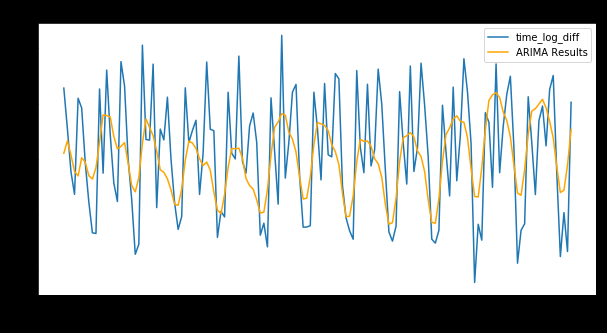
In this blog post, many of the forecasting techniques were explored. The same techniques have also been explored in the blog Time Series in R.